Building AI Agents with LangChain and LangGraph: Part 2 › Human-in-the-Loop: Interrupts and Feedback
Building AI Agents with LangChain and LangGraph: Part 2 › Human-in-the-Loop: Interrupts and FeedbackOne section · Sections in this article7 / 9 ↓
Reading tools Definitions & inline links
Toggle tooltip visibility. Hover over underlined terms for instant definitions.
Article links
Make inline references clickable
The most sophisticated agentic systems know when to pause and ask for human guidance. Interrupts enable human-in-the-loop workflows where agents can:
- Request clarification on ambiguous tasks
- Ask for approval before taking critical actions
- Gather additional input to complete complex requests
- Handle scenarios outside their training or capabilities
This creates truly collaborative AI systems that combine automated efficiency with human judgment.
Building an Interrupt-Enabled Workflow
This example demonstrates the interrupt pattern:
- Normal processing: Nodes execute automatically in sequence
- Interrupt point: The workflow pauses and waits for human input
- Resume with feedback: The workflow continues with the provided information
- Completion: Normal processing resumes to finish the task
The interrupt() function is the key - it suspends execution and requests human input.
class State(TypedDict):
    input: str
    user_feedback: str


def step_1(state):
    print("---Step 1---")
    pass


def human_feedback(state):
    print("---human_feedback---")
    feedback = interrupt("Please provide input:")
    return {"user_feedback": feedback}


def step_3(state):
    print("---Step 3---")
    pass


builder = StateGraph(State)
builder.add_node("step_1", step_1)
builder.add_node("human_feedback", human_feedback)
builder.add_node("step_3", step_3)
builder.add_edge(START, "step_1")
builder.add_edge("step_1", "human_feedback")
builder.add_edge("human_feedback", "step_3")
builder.add_edge("step_3", END)

# Set up memory
memory = InMemorySaver()

# Add
graph = builder.compile(checkpointer=memory)
Visualizing Interrupt Workflows
The workflow graph shows the human feedback node as a regular step in the process. LangGraph handles the complexity of pausing execution and resuming when input arrives.
Image(graph.get_graph().draw_mermaid_png())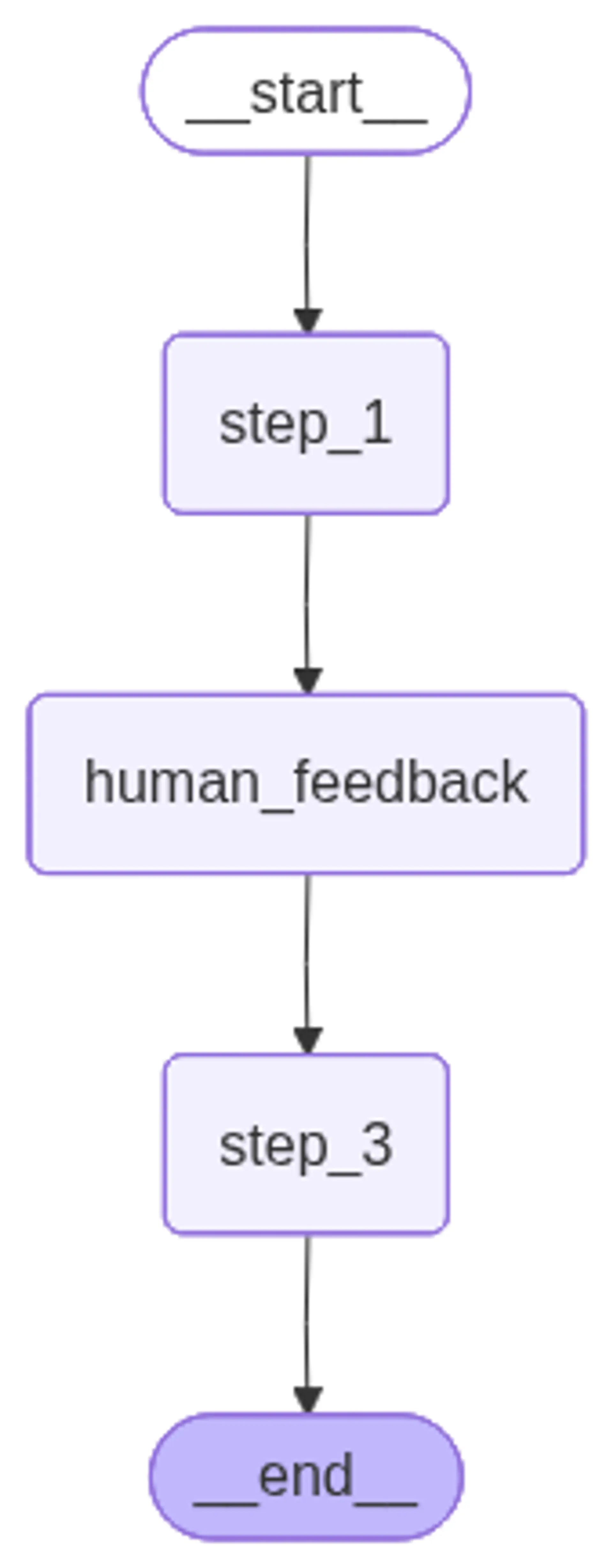
Running the Interrupt Workflow
Notice how the workflow executes until it hits the interrupt point, then waits. The __interrupt__ event indicates the system is paused and waiting for human input.
# Input
initial_input = {"input": "hello world"}

# Thread
thread = {"configurable": {"thread_id": "1"}}

# Run the graph until the first interruption
for event in graph.stream(initial_input, thread, stream_mode="updates"):
    print(event)
print("\n")---Step 1---
{'step_1': None}
---human_feedback---
{'__interrupt__': (Interrupt(value='Please provide input:', id='7c397f7e707622e8684e882e9390bba9'),)}Resuming with Human Feedback
Using the Command(resume=...) function, we provide the requested feedback and continue execution. The workflow seamlessly incorporates the human input and proceeds to completion.
This pattern enables sophisticated collaborative workflows where AI handles routine tasks while humans provide guidance on complex decisions.
# Continue the graph execution
for event in graph.stream(
    Command(resume="go to step 3!"),
    thread,
    stream_mode="updates",
):
    print(event)
print("\n")---human_feedback---
{'human_feedback': {'user_feedback': 'go to step 3!'}}
---Step 3---
{'step_3': None}